
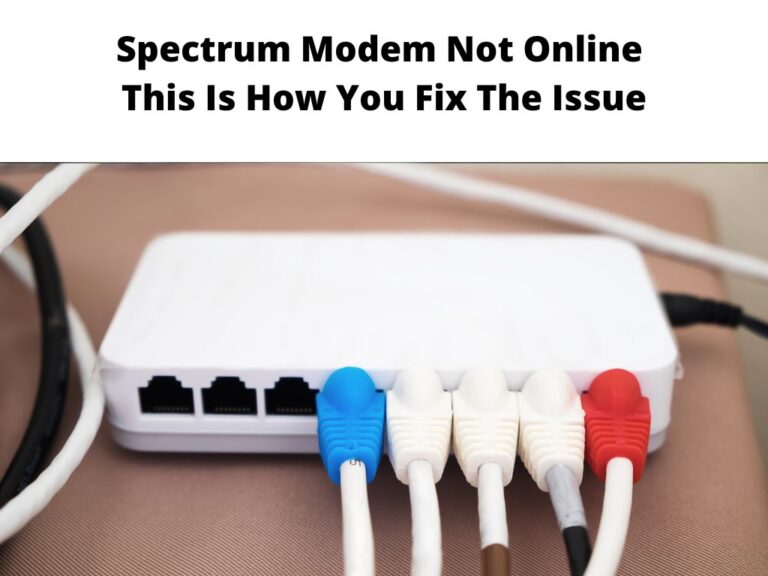
When your Spectrum modem is not online, you may be wondering what the next steps are to fix the problem.
Spectrum is a company that provides all sorts of telecommunications services, so it is possible that a different issue is causing your modem to go offline.
Still, a few troubleshooting steps are in order to see what the problem is.
In an era where internet connection is a necessity, it is essential to know how to troubleshoot internet connection problems.
This way, you can make sure you are up and running as soon as possible.
Table of Contents
How to fix Spectrum modem not online issue
At one point or the other, issues such as the Spectrum modem not working are expected.
The best way to solve the problem fast and get back your internet is to know some of the most likely reasons for your modem to go offline.
And when you have identified the problem, you can use the appropriate solution to solve it.
This guide is going to help you get back to using your internet connection in a matter of minutes.
On that note, let’s fix the Spectrum modem is not an online error.
Carry out a speed test
If your internet connection is slow or not working at all, then it may be a good idea to carry out a speed test.
To do this, you will need the use of an application or website.
Then, connect your computer to the internet using an Ethernet cable or WiFi.
When your modem is in an offline state, you will start to realize that too much time is being spent on the connection.
To determine what the problem is, run a speed test to see which connection or speeds are best for you.
When the speed test results indicate a much lower speed than you are used to, reach out to Spectrum and find out why.
It is possible that they’re simply experiencing a network outage or maintenance activities.
Check cable connections
If your modem is not online, the problem could be related to an issue with the cable connection.
Before you begin troubleshooting, make sure that all the cables are properly connected.
Check if they have come loose or been disconnected.
In this case, pay attention to the connections to the ports at the back of your modem and router, especially those that come directly from the cable.
Detach and reattach once again in a way that keeps them firmly connected.
As you do that, make sure there is no damage to the ports or the cables.
Once you have verified this, then move on to the next possible cause for your modem to go offline.
Reboot modem
Sometimes, applying simple solutions is all it takes to solve a problem.
In some instances, the modem begins to misbehave for a number of reasons, and simply rebooting it does the trick.
Modems run continuously for long periods of time on a regular basis.
This is likely to result in it experiencing glitches.
Sometimes, all you need to do is reboot the modem and this will solve the problem.
To reboot the modem, unplug it from the power supply.
Do the same for all the other internet devices including the router.
Wait for ten seconds or so before plugging it back in again.
When you have done that, wait for about a minute until you see all the lights turn on again.
This step should help return things back to normal and thus fix the glitch.
Disconnect the devices not in use
Most homes have a number of devices that connect to the same internet connection.
These could be the devices that you use for entertainment purposes, such as a TV, gaming consoles, and other gadgets.
Too many devices connected to the same router or modem can result in slowing down the connection.
It is possible that this will make your modem go offline or start to experience buffering problems.
In order to speed up your internet connection, you need to eliminate these devices.
Focus on the ones that you use the most, and then proceed to disconnect the rest.
Update your web browser
If your internet is acting up, you may want to check if the problem is with your web browser.
Modems are often used to access the internet through a web browser.
There are several options that you can use when accessing the web including Internet Explorer, Google Chrome and Mozilla Firefox.
Every day you use these web browsers, there is always a chance for them to become outdated or corrupted, the solution to this would be updating them.
Reset network settings
Your network settings may be the reason why your modem is going offline.
Resetting the settings back to factory defaults forces all the routers, modems and other devices to communicate with one another again.
It is also a great option when using a cable modem as it resets your channels to their original settings.
Resetting will easily solve your troubles.
Make sure you are on a stable network connection first before resetting.
It would be best if you disconnect all the devices that are connected to your internet before resetting the network settings.
Contact Spectrum
You can always contact the technicians at Spectrum and get the problem fixed, some Spectrum outages may not be remedied.
If they are experiencing an outage or network problems, they would notify you first before resuming regular operations.
For example, if your Spectrum internet goes offline, they will inform you of such.
You then have the option to contact them for further assistance or wait patiently for when it is okay to use your internet connection again.
Final Thoughts
In this article, we have shared with you the best ways to get back online when your modem is not working.
We understand that so many people need a proper internet connection for work, school, business, and other important things.
You can always check the reason for your modem to go offline or stop working.
It may be an update, maintenance activities or a network outage.
FAQs
Why does my modem not go online?
Sometimes, the internet connection at home can be problematic.
It could also have something to do with a faulty product.
In addition to this, you will have to check if your cable is working properly or not.
Why is the Spectrum modem not connecting?
Spectrum is a reliable internet provider that can give you the speeds you need.
However, they have experienced some issues with their business along the way.
When this happens, you may need to troubleshoot your modem and check if the problem is caused by certain factors.
